
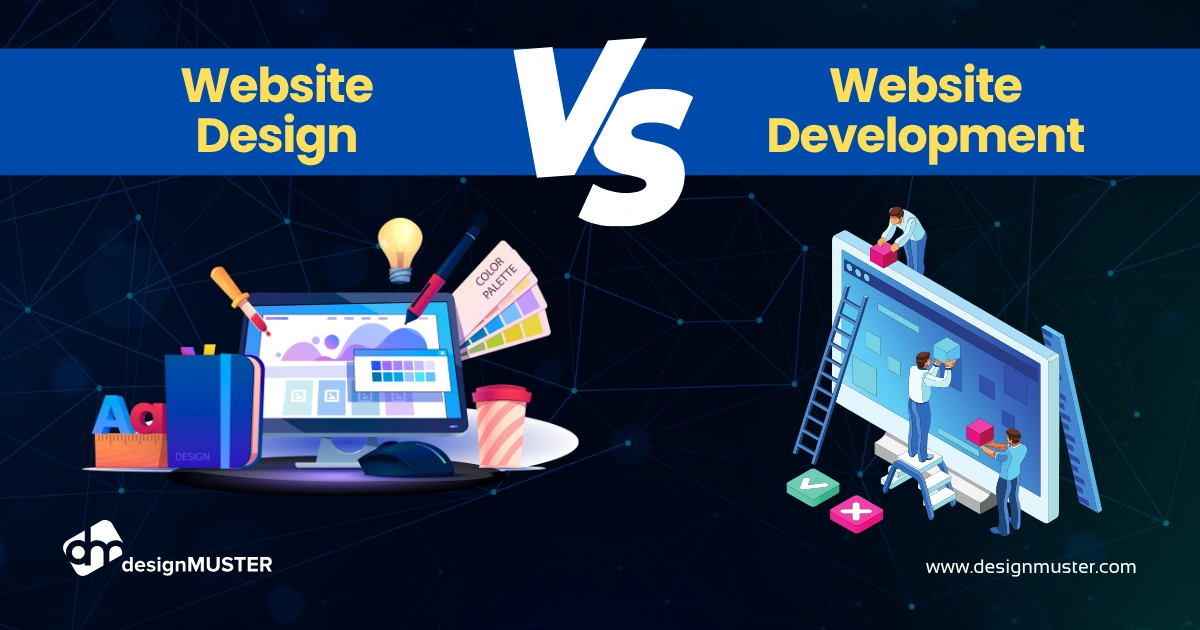
In today’s digital-first world, every business needs a strong online presence—and that starts with a website. But when planning a new website, many people get confused between web development and web design. Although the terms are often used interchangeably, they refer to two very different skill sets. Understanding the difference is essential whether you’re hiring professionals, managing a project, or learning digital skills yourself.
In this detailed guide, we break down web development vs web design, explain their roles, responsibilities, tools, costs, and how they work together to build powerful, user-friendly websites in 2025.
What Is Web Design?
Web design focuses on the visual, creative, and user experience (UX) side of a website. Designers are responsible for the look, feel, and branding of your site.
Key Responsibilities of Web Designers
- Creating the website’s layout and visual structure
- Choosing colors, fonts, icons, and imagery
- Designing UI elements like buttons, menus, and forms
- Planning user experience and navigation flow
- Making sure the design is mobile-friendly
- Creating prototypes and wireframes
- Following branding guidelines
- Ensuring the website is aesthetically appealing
Skills Required for Web Design
- UI/UX design
- Graphic design
- Layout and composition
- Responsive design
- Design psychology
Common Tools Used in Web Design
- Figma
- Adobe XD
- Sketch
- Canva (for graphics)
- Photoshop / Illustrator
The Goal of Web Design
A web designer ensures the website looks great, feels intuitive, and delivers a seamless experience for users.
What Is Web Development?
While design focuses on looks, web development is about building functionality. Developers turn the design into a working, interactive website.
Types of Web Development
There are three main types:
1. Front-End Development
This covers what users interact with—the visible part of the website.
Main technologies include:
- HTML
- CSS
- JavaScript
- React, Vue, Next.js, Angular
2. Back-End Development
This focuses on the website’s internal logic, servers, and databases.
Common technologies include:
- PHP / Laravel
- Node.js
- Python / Django
- Ruby on Rails
- MySQL, MongoDB, PostgreSQL
3. Full-Stack Development
A full-stack developer handles both front-end and back-end development.
Key Responsibilities of Web Developers
- Converting design files into code
- Building and managing databases
- Developing site functionality
- Optimizing site speed
- Ensuring secure web architecture
- Integrating APIs
- Fixing bugs and performing updates
Common Tools Used in Web Development
- VS Code
- GitHub
- Bootstrap
- WordPress
- Webflow
- cPanel
The Goal of Web Development
A web developer ensures the website works perfectly, loads fast, and can scale as your business grows.
Web Development vs Web Design: The Key Differences
| Category | Web Design | Web Development |
| Focus | Visuals, branding, UX | Functionality, coding, structure |
| Role | Makes the website beautiful | Makes the website work |
| Tools | Figma, Adobe XD, Canva | HTML, CSS, JS, PHP, MySQL |
| Outcome | UI/UX design files | Fully functioning website |
| Skills | Creativity, design thinking | Problem-solving, programming |
| Timeline | Early phase (planning/design) | Development/building phase |
Both are essential—without design, the site would look messy. Without development, it wouldn’t function at all.
How Web Design and Web Development Work Together
A successful website requires both teams to collaborate. Here’s how the process normally works:
Step 1: Research and Planning
- Understanding target audience
- Competitor analysis
- Setting project goals
Step 2: Wireframes & Design
The designer creates:
- Layout structure
- UI design
- Color and typography choices
- Mobile and desktop versions
Step 3: Development Phase
Developers convert the design into a working website by:
- Coding the front-end
- Creating the back-end
- Integrating databases, forms, payments, etc.
Step 4: Testing
Both teams ensure:
- Mobile responsiveness
- Cross-browser compatibility
- Speed optimization
- Bug fixes
Step 5: Launch & Maintenance
After launching, developers maintain technical operations, while designers may update visuals over time.
Which Is More Important: Web Design or Web Development?
Both matter equally.
- A beautiful site with poor functionality will fail.
- A functional site with ugly design won’t attract users.
In 2025, businesses need a balance of strong UI/UX + powerful functionality to stay competitive.
Which One Should You Choose as a Career?
Choose Web Design if you are:
- Creative
- Good with colors, layout, visuals
- Interested in branding or user psychology
- Not very technical
Choose Web Development if you are:
- Good at problem-solving
- Tech-savvy
- Interested in coding
- Focused on functionality
Both careers offer great opportunities in 2025, especially with the rise of AI, Webflow, eCommerce, and AR/VR websites.
Web Design Trends in 2025
- 3D graphics and animations
- AI-based personalization
- Minimalistic layouts
- Dark mode design
- Micro-interactions
- Bold typography
- Augmented reality in shopping websites
Web Development Trends in 2025
- AI-driven code generation
- No-code and low-code platforms (Webflow, Wix Studio)
- Headless CMS architecture
- Web3 and blockchain integration
- Progressive Web Apps (PWAs)
- Serverless APIs
- High-speed, optimized websites with Core Web Vitals
Cost Comparison: Web Design vs Web Development
Web Design Cost (2025)
- Basic design: $200–$800
- Full UI/UX for multi-page websites: $1,000–$6,000
Web Development Cost (2025)
- Basic website: $300–$1,000
- Advanced websites: $2,000–$15,000
- eCommerce sites: $5,000–$30,000
The final cost depends on complexity, customization, and feature.
Which Option Is Best for Your Business?
Choose Web Design if you need:
- Branding
- Layout improvements
- Better visuals
- Improved user experience
Choose Web Development if you need:
- A new website built
- Backend systems (login, checkout, dashboards)
- Faster performance
- New functionality
Most businesses need both to succeed.
Conclusion
Understanding the difference between web development vs web design is essential for building a successful website in 2025. Web design focuses on creating beautiful, user-friendly layouts, while web development brings those designs to life through powerful coding and functionality. Both roles work together to deliver fast, responsive, and engaging websites that attract customers and drive conversions. Whether you’re planning a new website or upgrading an existing one, combining strong design with solid development is the key to online success. In today’s digital world, businesses that balance both will stay ahead of the competition.